


Prefab intelligence
for architects,
built into Revit
Prefab intelligence
for architects,
built into Revit
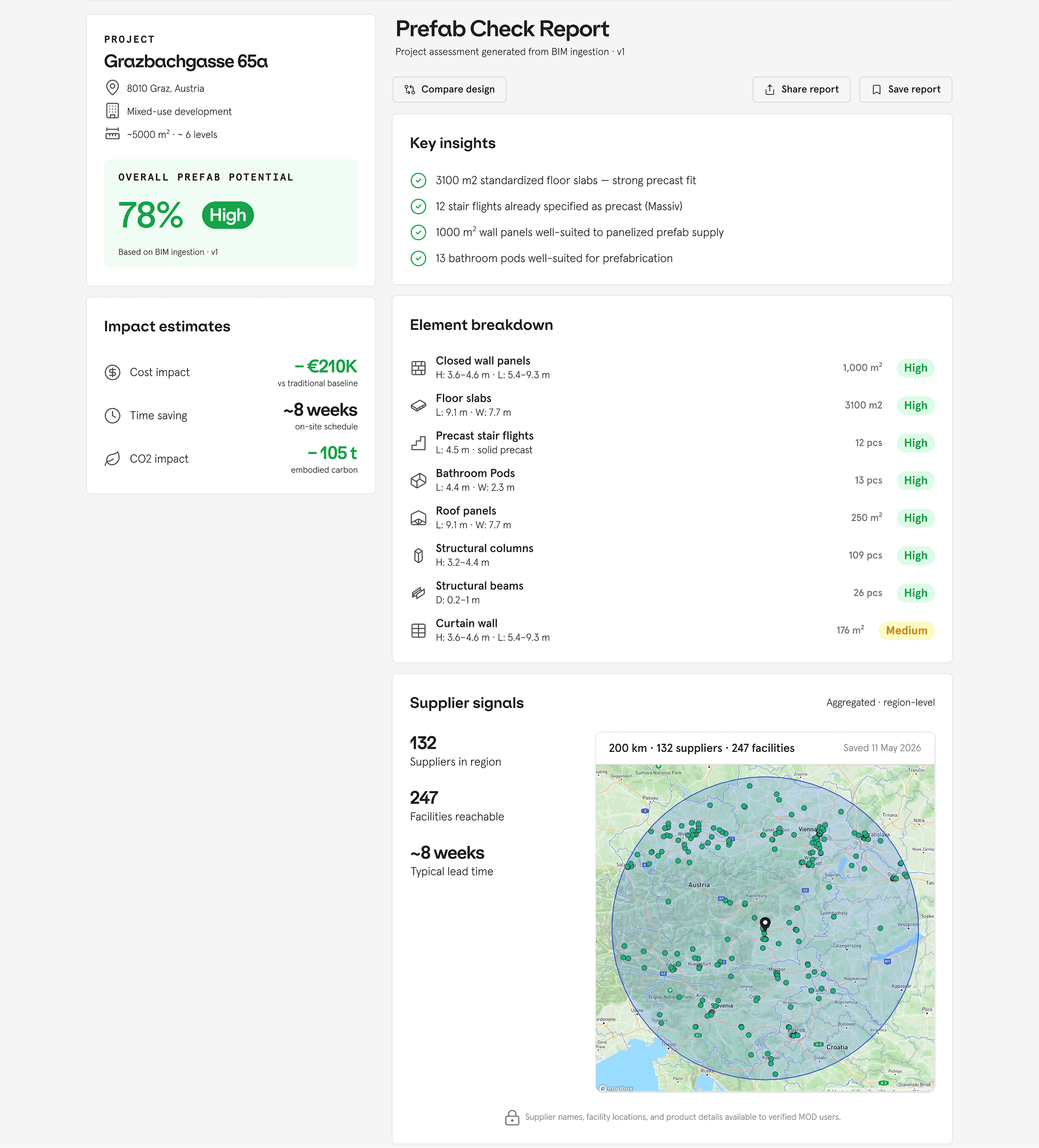
MOD Prefab Check is a free Revit plugin that tells you which parts of your project have prefabrication potential — and how many suppliers nearby can deliver matching products. It works globally and runs directly inside Revit, with no file export required, and returns results in minutes.
Now on Autodesk® App Store
Prefab intelligence
for architects,
built into Revit
MOD Prefab Check is a free Revit plugin that tells you which parts of your project have prefabrication potential — and how many suppliers nearby can deliver matching products. It works globally and runs directly inside Revit, with no file export required, and returns results in minutes.
Now on Autodesk® App Store


01
02
03
HOW IT Works
Run the check
inside Revit
Open MOD Prefab Check from your Revit toolbar and run the analysis directly on your model. There is no need to export your file or switch to a separate platform.
See which elements have prefab potential
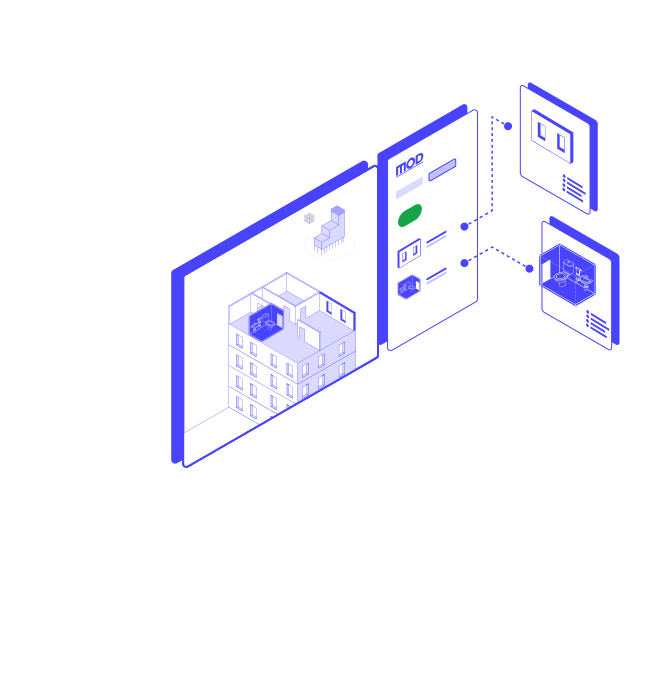
The plugin analyses your model and identifies which components — such as walls, floor slabs, facades, and bathroom pods — are suitable for prefabrication, based on their geometry and configuration.
Find out who can
build them
For each prefab-ready element, MOD PrefabCheck shows how many suppliers worldwide carry matching products, filtered by your project location. You get a real picture of market availability, not a generic feasibility score.
01
02
03
01
02
03
HOW IT WORKS
HOW IT WORKS
Run the check
inside Revit
Open MOD Prefab Check from your Revit toolbar and run the analysis directly on your model. There is no need to export your file or switch to a separate platform.
See which elements have prefab potential
The plugin analyses your model and identifies which components — such as walls, floor slabs, facades, and bathroom pods — are suitable for prefabrication, based on their geometry and configuration.
Find out who can
build them
For each prefab-ready element, MOD PrefabCheck shows how many suppliers worldwide carry matching products, filtered by your project location. You get a real picture of market availability, not a generic feasibility score.
Run the check
inside Revit
Open MOD Prefab Check from your Revit toolbar and run the analysis directly on your model. There is no need to export your file or switch to a separate platform.
See which elements have prefab potential
The plugin analyses your model and identifies which components — such as walls, floor slabs, facades, and bathroom pods — are suitable for prefabrication, based on their geometry and configuration.
Find out who can
build them
For each prefab-ready element, MOD PrefabCheck shows how many suppliers worldwide carry matching products, filtered by your project location. You get a real picture of market availability, not a generic feasibility score.
01
02
03
HOW IT Works
Run the check
inside Revit
Open MOD Prefab Check from your Revit toolbar and run the analysis directly on your model. There is no need to export your file or switch to a separate platform.
See which elements have prefab potential
The plugin analyses your model and identifies which components — such as walls, floor slabs, facades, and bathroom pods — are suitable for prefabrication, based on their geometry and configuration.
Find out who can
build them
For each prefab-ready element, MOD PrefabCheck shows how many suppliers worldwide carry matching products, filtered by your project location. You get a real picture of market availability, not a generic feasibility score.
01
02
03
01
02
03
HOW IT WORKS
Run the check
inside Revit
Open MOD Prefab Check from your Revit toolbar and run the analysis directly on your model. There is no need to export your file or switch to a separate platform.
See which elements have prefab potential
The plugin analyses your model and identifies which components — such as walls, floor slabs, facades, and bathroom pods — are suitable for prefabrication, based on their geometry and configuration.
Find out who can
build them
For each prefab-ready element, MOD PrefabCheck shows how many suppliers worldwide carry matching products, filtered by your project location. You get a real picture of market availability, not a generic feasibility score.
Run the check
inside Revit
Open MOD Prefab Check from your Revit toolbar and run the analysis directly on your model. There is no need to export your file or switch to a separate platform.
See which elements have prefab potential
The plugin analyses your model and identifies which components — such as walls, floor slabs, facades, and bathroom pods — are suitable for prefabrication, based on their geometry and configuration.
Find out who can
build them
For each prefab-ready element, MOD PrefabCheck shows how many suppliers worldwide carry matching products, filtered by your project location. You get a real picture of market availability, not a generic feasibility score.
MOD Prefab Check
launches in July 2026.
Join the early access list to be among the first to try it.
You spell-check
every document.
Why not Prefab Check
every model?
Now on Autodesk® App Store
Prefab intelligence for real-estate developers
Andreasstr. 5. 8050 Zurich, Switzerland
Geisenhausenerstr. 17, 81379 Munich, Germany
info@mod.construction
CH: +41 445056 100
DE: +49 158 8865 2002